5 Best Non-Custodial Wallets for Crypto Trading and Staking — Beginner-Friendly Picks Ranked

Why Trust BTCC
The most imperative feature of blockchain is privacy. That’s where non-custodial wallets come in. It gives you access to manage your own private keys and staking cryptocurrency without using regulated centralized exchanges. As for beginners trying to navigate into the world of trading and staking, this guide highlights five of the best non-custodial crypto wallets for trading and staking. The strengths, weaknesses and how best to use them safely in 2025 and beyond.
Whether your objective is to stake for passive income, trade occasionally or always and need to keep your profit safely, or simply hold crypto for long-term investment. These non-custodial wallets, while being secure, give you absolute control without third party involvement.

Table of Contents
- Why choose a non-custodial wallet for trading and staking
- Criteria for Choosing the Best 5 Non-Custodial Wallets
- Top 5 Non-custodial Wallets for Crypto Trading and Staking for 2025 and Beyond
- Comparing Features of the Top 5 Non-Custodial Wallets
- How to Get Started With These wallets (Beginner-friendly walkthrough)
- Risks and Best Practices for Beginner Stakers
- FAQs – Best Non-Custodial Wallets for Crypto Trading and Staking
- Final Takeaways
- How to Trade Crypto on BTCC?
- BTCC FAQs
/ You can claim a welcome reward of up to 10,055 USDT\
Why choose a non-custodial wallet for trading and staking
To better understand our list of choices, we need to discuss what makes a non-custodial wallet more attractive to traders and stakeholders:
- Complete Control Over Your Keys
With a non-custodial wallet, you are responsible for holding your own private keys. This means you do not have to rely on an exchange or third-party service to secure your money. By doing so, you’ve scaled safety issues such as exchange hacks, fund traps or policy changes.
- Better Staking Options
Most non-custodial wallets allow staking (or delegation) directly from their interface. You don’t have to keep your cryptocurrencies on an exchange to receive rewards.
- Privacy & Decentralization
Self-custody wallets embrace the philosophy of decentralization, whereby there is no centralized keeper of your money. Most wallets can directly link to decentralized applications (dApps) to facilitate peer-to-peer transactions and DeFi services.
- Reduce Counterparty Risk
Since you are holding your keys, you are not affected by exchange insolvency. Your cryptocurrencies are in your wallet until you wish to trade them.
- Educational Value
For beginners to blockchain technology, having a non-custodial wallet is useful because you can acquire hands-on experience with essential crypto knowledge such as seed phrases, private keys, and fees.
Criteria for Choosing the Best 5 Non-Custodial Wallets
The 5 best non-custodial wallets were picked based on the following reasons:
- Security (private key management, ease of recovery, open source)
- Support staking (native or through delegation)
- Compatibility with trading/ DeFi (on-chain swaps or dApp integrations)
- Beginner friendly interface
- Multiple chain support
- Reputation stand (users reviews, expert sources)
/ You can claim a welcome reward of up to 10,055 USDT\
Top 5 Best Non-custodial Wallets for Crypto Trading and Staking for Beginners in 2025 and Beyond
These are the five non-custodial wallets based on the listed criteria above:
- MetaMask– Best for Ethereum and DeFi Beginners
Pros:
- Ethereum Native: The most popular Web3 wallet is MetaMask, which is a trusted choice and supports Ethereum, layer 2 blockchain solutions such as Arbitrum and Optimism, and EVM chains.
- dApp Integration: Seamlessly integrate into DeFi apps, DEX interfaces, and staking interfaces.
- Self-Custody: You keep your seed phrase, and MetaMask does not store your private keys.
- Beginner Friendly: Highly intuitive UI, available via browser extension & mobile app.
- Staking/DeFi: Though MetaMask does not offer staking options within their wallet for each chain, you can use it to connect to staking applications such as Lido, Rocket Pool, or validator pools.
Cons:
- A high gas fee is required on the Ethereum network during staking and/or swapping transactions.
- Beware of phishing attacks and make sure to check the URL of any dApp you visit.
Best suited for: Persons new to Ethereum/EVM blockchain networks and seeking to trade and stake using decentralized applications.
- Ledger Live with Ledger Hardware Wallet – Best for Security & Staking
Pros:
- Hardware & Software Combos: The private keys are managed off-line by devices such as Nano S Plus and Nano X by Ledger, but staking is possible via Ledger Live software.
- Support for Large Assets: It supports many tokens, and staking can be performed on them using Ledger Live.
- Non-Custodial: Your keys do not leave your device, and you verify each transaction on the actual device.
- Staking Safety: Since you keep your private keys off-line, staking on Ledger is very safe.
Cons:
- Requires purchasing a hardware device (cost)
- Not quite “instant” like Web wallets on smaller transactions – have to link device to confirm transaction
- Learning curve for backup of seed phrase and device usage
Who is it ideal for? Individuals concerned about maximum security while staking, particularly those intending to stake higher amounts.
- Trust Wallet – Best Mobile All-In-One For Trading and Staking
Pros:
- Non-Custodial & Mobile-First: This implies that you hold your keys yourself, and they are optimized for mobile use.
- Multi-Chain Support: Compatible with a very wide range of blockchain technologies.
- Built-in Staking: Native staking support across multiple coins – Trust Wallet allows staking of BNB, ADA, TRON, SOL, and many more.
- DeFi Integration: Comes with a DApp browser you can use to link to DeFi exchanges or staking DApps.
Cons:
- Mobile only – not suited to desktop or volume trades
- Staking is native, but not all assets can be staked within Trust Wallet
- Rewards could depend on validators; you have to choose carefully Target audience:
Ideal for beginners, aiming to trade and stake within one mobile app.
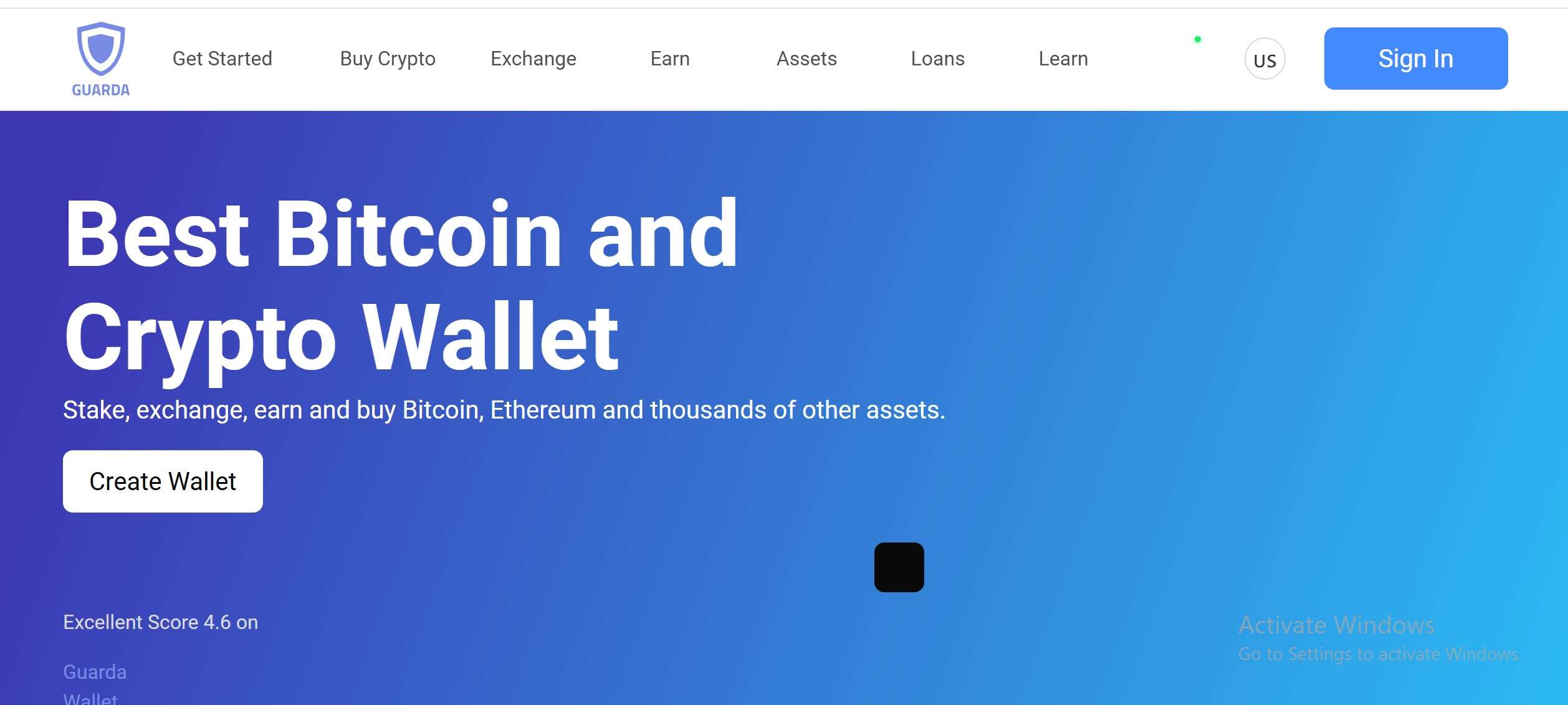
- Guarda Wallet — Beginner-Friendly but Powerful
Pros:
- Non-Custodial Across All Platforms: Web, desktop, and mobile. Coin Wallet
- Staking Support: Staking of many tokens is available; the delegation is possible from inside the wallet. Coin Wallet
- Multichain: It supports an extensive array of blockchains, making it suitable for users diversifying across multiple assets.
- User Experience: Clean interface, straightforward setup, and secure backup via a seed phrase.
Cons:
- Staking reward and performance may be dependent upon third-party validators.
- GUI may feel slightly advanced for crypto beginners
- Not quite as DeFi-native for complex dApp interactions as MetaMask
Ideal for: Beginners who need an all-platform wallet, workable on mobile and desktop, with secure staking and self-custody.
- Keplr Wallet — Best for Cosmos & Inter-Blockchain Staking
Pros:
- Cosmos Ecosystem Specialist: Keplr is deeply integrated with the Cosmos Network and IBC-enabled chains.
- Staking & Governance: natively supporting staking of ATOM and other Cosmos-based tokens, participating in governance.
- Non-Custodial: Private keys are controlled by the user; Keplr doesn’t hold custody.
- Developer-friendly: Works with a large number of Cosmos dApps; has strong cross-chain architecture.
Cons:
- Less useful for non-Cosmos assets: not ideal for ETH or EVM-first users
- Network fees and staking rewards depend on the validators chosen.
- Small learning curve in using IBC (inter-blockchain)
Ideal for: Those looking to stake Cosmos for the first time or leverage cross-chain DeFi via IBC.
Comparing Features of the Top 5 Non-Custodial Wallets
| Wallet | Type | Key Features | Usage |
| MetaMask | Software (Mobile/browser) | DeFi, token swaps, Web3 integration | EVM beginners, staking via dApps |
| Ledger + Ledger Live | Hardware + companion software | Offline keys, staking, secure | High security, staking, long term holding |
| Trust Wallet | Mobile software | Multichain, staking, dApps | Versatile wallet for mobile-first users |
| Guarda | Multi-platform software | Staking, multichain, seed phrase | Both desktop and mobile options best for beginners |
| Keplr | Software (Cosmos-focused) | IBC, staking, governance | Cosmos/ IBC focused users and stakers |
How to Get Started With These wallets (Beginner-friendly walkthrough)
- Choose your wallet
Pick a wallet from the above based on your goals (chosen blockchain, trading or staking purpose?)
- Install and setup
- For MetaMask/ kepler / Trust wallet – download from official website or app store
- For Ledger – Hardware devices should be purchased from the official ledger store and then install ledger live.
- Backup your seed phrase
- Write it down (on paper or metal recovery) never on cloud.
- Confirm your seed phrase during wallet setup
- Deposit or send crypto
- Transfer assets to your wallet address
- For staking, select the coin you want to delegate
- Stake or trade
- MetaMask – connect to staking dApps (Lido or Rocket pool)
- TrustWallet/ Guarda – use built-in staking interfaces
- Ledger Live – stake supported coins on the app
- Keplr – delegate to validators on Cosmos or IBC.
- Manage security
- Enable 2FA on the wallet (if available)
- Use phishing protection (carefully check dApps URLS)
- Update wallet apps regularly /firmware (for hardware)
/ You can claim a welcome reward of up to 10,055 USDT\
Risks and Best Practices for Beginner Stakers
- Validator risk – Staking relies on validators wherein poor performance or slashing reduces rewards.
- Lock-up period – Always confirm unstaking period as some blockchain require locking your stakes.
- Cost of gas/ fees – Transactions such as staking or unstaking cost network fees. Consider time and lower gas if possible.
- Non-recovery keys – Backup your seed phrase because once lost, there’s no recovery.
DeFi smart contract risk – Smart contract bugs could affect funds if you stake through DeFi.
FAQs – Best Non-Custodial Wallets for Crypto Trading and Staking for Beginners
Q1. Is non-custodial staking safe for beginners?
Yes, if you handle it safely. Pick reputable wallets only,keep your seed phrase securely, and select good validators.
Q2. Which wallet is best to stake Ethereum?
MetaMask and staking dApps such as Lido or Ledger Live are top options for ETH.
Q3. Do I need to keep my wallet online to stake?
No, that’s a risky step. Staked funds are secured on-chain.
Q4. How do I stop staking or unstake?
Use the wallet’s staking interface or connected dApps to undelegate or withdraw funds.
Q5. How to stake my coins or tokens?
Use any of the recommended wallets such as MetaMask, Ledger Live, Trust wallet or Keplr. Set up your seed phrase, keep it safe and begin staking.
Final Takeaways
Crypto trading and staking are pivotal means of making profit in the ecosystem. As for beginners just starting out, non-custodial wallets are powerful tools for staking while self-custody. The top 5 selected non-custodial wallets are MetaMask, Ledger Live, Trust wallet, Guarda and Keplr for usability and accessibility.
If you’re starting out, pick the one that meets your blockchain objectives, secure your seed phrase and start delegating by following the guides as specified in this piece. You get to understand the ecosystem when you explore practicability.
For more insightful updates about crypto trading and staking, and general financial market space, BTCC Academy is your safe place to explore for experts’ opinions.
How to Trade Crypto on BTCC?
This brief instruction will assist you in registering for and trading on the BTCC exchange.
Step 1: Register an account
The first step is to hit the “Sign Up” button on the BTCC website or app. Your email address and a strong password are all you need. After completing that, look for a verification email in your inbox. To activate your account, click the link in the email.

Step 2: Finish the KYC
The Know Your Customer (KYC) procedure is the next step after your account is operational. The main goal of this stage is to maintain compliance and security. You must upload identification, such as a passport or driver’s license. You’ll receive a confirmation email as soon as your documents are validated, so don’t worry—it’s a quick process.

Step 3. Deposit Funds
After that, adding money to your account is simple. BTCC provides a range of payment options, such as credit cards and bank transfers. To get your money into your trading account, simply choose what works best for you, enter the amount, and then follow the instructions.
- Fiat Deposit. Buy USDT using Visa/Mastercard (KYC required).
- Crypto Deposit. Transfer crypto from another platform or wallet.

Step 4. Start Trading
If you wish to follow profitable traders, you might go for copy trading, futures, or spot trading. After choosing your order type and the cryptocurrency you wish to trade, press the buy or sell button. Managing your portfolio and keeping track of your trades is made simple by the user-friendly interface.

Look more for details: How to Trade Crypto Futures Contracts on BTCC
BTCC FAQs
Is BTCC safe?
Based on its track record since 2011, BTCC has established itself as a secure cryptocurrency exchange. There have been no reports of fraudulent activity involving user accounts or the platform’s infrastructure. By enforcing mandatory know-your-customer (KYC) and anti-money laundering (AML) procedures, the cryptocurrency trading platform gives consumers greater security. For operations like withdrawals, it also provides extra security features like two-factor authentication (2FA).
Is KYC Necessary for BTCC?
Indeed. Before using BTCC goods, users must finish the Know Your Customer (KYC) process. A facial recognition scan and legitimate identification documents must be submitted for this process. Usually, it is finished in a few minutes. This procedure has the benefit of strengthening the security of the exchange and satisfying legal requirements.
Because their accounts will have a lower daily withdrawal limit, those who do not finish their KYC are unable to make deposits. It should be noted that those who present a legitimate ID without a facial recognition scan will likewise have restricted withdrawal options.
Is There a Mobile App for BTCC?
Indeed. For users of iOS and Android, BTCC has a mobile app. The exchange’s website offers the mobile app for download. Since both the web version and the mobile app have the same features and capabilities, they are comparable.
Will I Have to Pay BTCC Trading Fees?
Indeed. BTCC levies a fee for trade, just like a lot of other centralised exchanges. Each user’s VIP level, which is unlocked according to their available money, determines the different costs. The BTCC website provides information on the charge rates.
Can I Access BTCC From the U.S?
You can, indeed. According to its website, BTCC has obtained a crypto license from the US Financial Crimes Enforcement Network (FinCEN), which enables the cryptocurrency exchange to provide its services to investors who are headquartered in the US.
According to BTCC’s User Agreement document, its goods are not allowed to be used in nations and organisations that have been sanctioned by the United States or other nations where it has a licence.
BTCC Guide:
- How to Trade Crypto Futures Contracts on BTCC
- BTCC Guide-How to Deposit Crypto on BTCC?
- What is Crypto Futures Trading – Beginner’s Guide
- What is Leverage in Cryptocurrency? How Can I Trade at 100X Leverage?
- BTCC Review 2024: Best Crypto Futures Exchange
Crypto Buying Guides:
- How To Buy Bitcoin (BTC)
- How To Buy Picoin
- How To Buy Ethereum (ETH)
- How To Buy Dogecoin (DOGE)
- How To Buy Pepe Coin (PEPE)
- How To Buy Ripple (XRP)
Crypto Prediction:
- Ethereum (ETH) Price Prediction 2024, 2025, 2030 — Will ETH Reach $10,000?
- Ethereum Price Prediction 2024, 2025, 2030: How High Can ETH Go in 2024?
- Bitcoin (BTC) Price Prediction 2024, 2025, 2030 — Is BTC a Good Investment?
- Ripple (XRP) Price Prediction 2024, 2025, 2030 — Will XRP Reach $1 After SEC Lawsuit?
- Pi Coin Price Prediction 2024,2025,2030 — Is Pi Coin a Good Buy?
- Pepe (PEPE) Price Prediction 2024, 2025, 2030 – Will PEPE Reach $1

Scan to download
