How to Make a Crypto Wallet in 7 Easy Steps (Best Beginner’s Guide)

The first thing you need to know when it comes to cryptocurrency is where to store your digital assets. In fact, learning how to create a crypto wallet is the first logical step you should take.
Thankfully, the process of setting up a crypto wallet is very easy. Whether you are storing Bitcoins, altcoins, or collecting NFTs, you can get started within minutes (in most cases). This beginner guide will walk you through the process of setting up your crypto wallet like a pro. But first, we must answer this:
Table of Contents
- What does it mean to make a crypto wallet?
- How to Make a Crypto Wallet
- Step 1: Choose Your Wallet Type (hot wallet vs cold wallet)
- Step 2: Select a Reputable Provider
- Step 3: Install the Software or Initialize the Device
- Step 4: Select “Create a New Wallet”
- Step 5: The Most Critical Step – The Recovery Phrase
- Step 6: Verify Your Recovery Phrase
- Step 7: Fund Your Wallet and Test It
- Security Tips for Crypto Wallet for Beginners
- Conclusion
- FAQs on How to Make Crypto Wallet
- Sources
- How to Trade Crypto on BTCC?
- BTCC FAQs
/ You can claim a welcome reward of up to 10,055 USDT🎁\
What does it mean to make a crypto wallet?
When we talk about making a crypto wallet, we are not talking about creating the storage unit that holds your coins. Instead, we are talking about creating your private keys.
You see, a crypto wallet actually stores your private keys and not the assets themselves. The private keys are cryptographic passwords that give you control over your digital assets. Anyone can see the assets in the wallet if they have the public address. Only the person with the private keys can move the assets.
So when we talk about how to make a crypto wallet, we are talking about how to generate your private keys and store them properly.
Signup to BTCC Exchange for a share welcome bonus of $10,000 now.
How to Make a Crypto Wallet
We have broken the crypto wallet setup process into seven easy steps. Let’s begin.
Step 1: Choose Your Wallet Type (hot wallet vs cold wallet)
A hot wallet is basically a software wallet. Hot wallets are connected to the internet; they are free, easy to use, and great for people who make frequent transactions. If you are a beginner, hold a small amount of crypto, or do frequent trades, then you need a hot wallet.
A cold wallet, on the other hand, is a physical device that stores your keys. This can be a paper wallet or a hardware wallet. The upside is that they are more secure than hot wallets. The downside is that they can be a bit complex to use, and you may have to spend money (if you choose a hardware wallet). Hardware wallets are great for people with significant amounts of crypto or people who don’t make transactions that often.
Step 2: Select a Reputable Provider
To avoid getting robbed of your coins, you should get your wallet from an official source. If you are using a self-custody wallet for your phone, go to the official Google Play Store or Apple App Store to download the wallet. Make sure you see the developer name and read the reviews.
For desktop apps, you should only download from the official website. Do not click on download links from the Google search results page. Also, confirm from the URL that you are on the right page.
If you choose to get a hardware wallet, purchase your device directly from the manufacturer. It is risky to buy from third-party sites like eBay. You never can tell if the reseller has tampered with the device.
/ You can claim a welcome reward of up to 10,055 USDT🎁\
Step 3: Install the Software or Initialize the Device
Once you have the software or hardware device, launch the application. In the case of hot wallets, you will need to open the app on your phone or desktop. If you are using a hardware device, you will need to connect it to your phone or laptop via USB, NFC or Bluetooth. Most hardware wallets also include apps that you install on your device. These apps allow you to view and manage your assets.
Step 4: Select “Create a New Wallet”
Most wallets will give you the option of creating a new wallet or importing an existing wallet. Choose the “create new wallet” option since you are learning how to make a crypto wallet. This option will make the system generate a new set of private keys.
Remember that it is your private keys that give you control over your assets. Do not share them with anyone.
Step 5: The Most Critical Step – The Recovery Phrase
After generating the private keys, the wallet will also generate a Secret Recovery Phrase (sometimes called a seed phrase). This is typically a list of 12 or 24 random words. These words are your backup in case you lose your wallet or want to transfer your tokens to another wallet.
If you lose this phrase, you lose your crypto for life; there is no way to recover it. And again, if someone else gets this phrase, they can move your crypto.
You will be prompted to copy and save this recovery phrase. Do not take a screenshot. Instead, write it down on paper in the exact order in which the words are presented. If you switch the order of any of the words, the phrase will not work.
Make sure you keep this phrase secret.
/ You can claim a welcome reward of up to 10,055 USDT🎁\
Step 6: Verify Your Recovery Phrase
The wallet will prompt you to verify your recovery phrase. This is to ensure that you copied it correctly. Once you have passed this stage, your wallet will be available for use.
Step 7: Fund Your Wallet and Test It
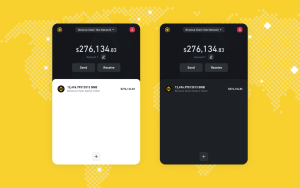
Now that you have your crypto wallet, it is time to test it. Look for a “Receive” button and click on it to find your public address. This address is a string of numbers and letters. Think of it like your wallet account number. Send a small amount of crypto from an exchange such as BTCC Exchange to this wallet address. If the funds appear immediately in your wallet, then everything is working fine.
Note that some transactions may take time to confirm (e.g., Bitcoin). However, you will still receive a notification showing the incoming transfer.
Security Tips for Crypto Wallet for Beginners
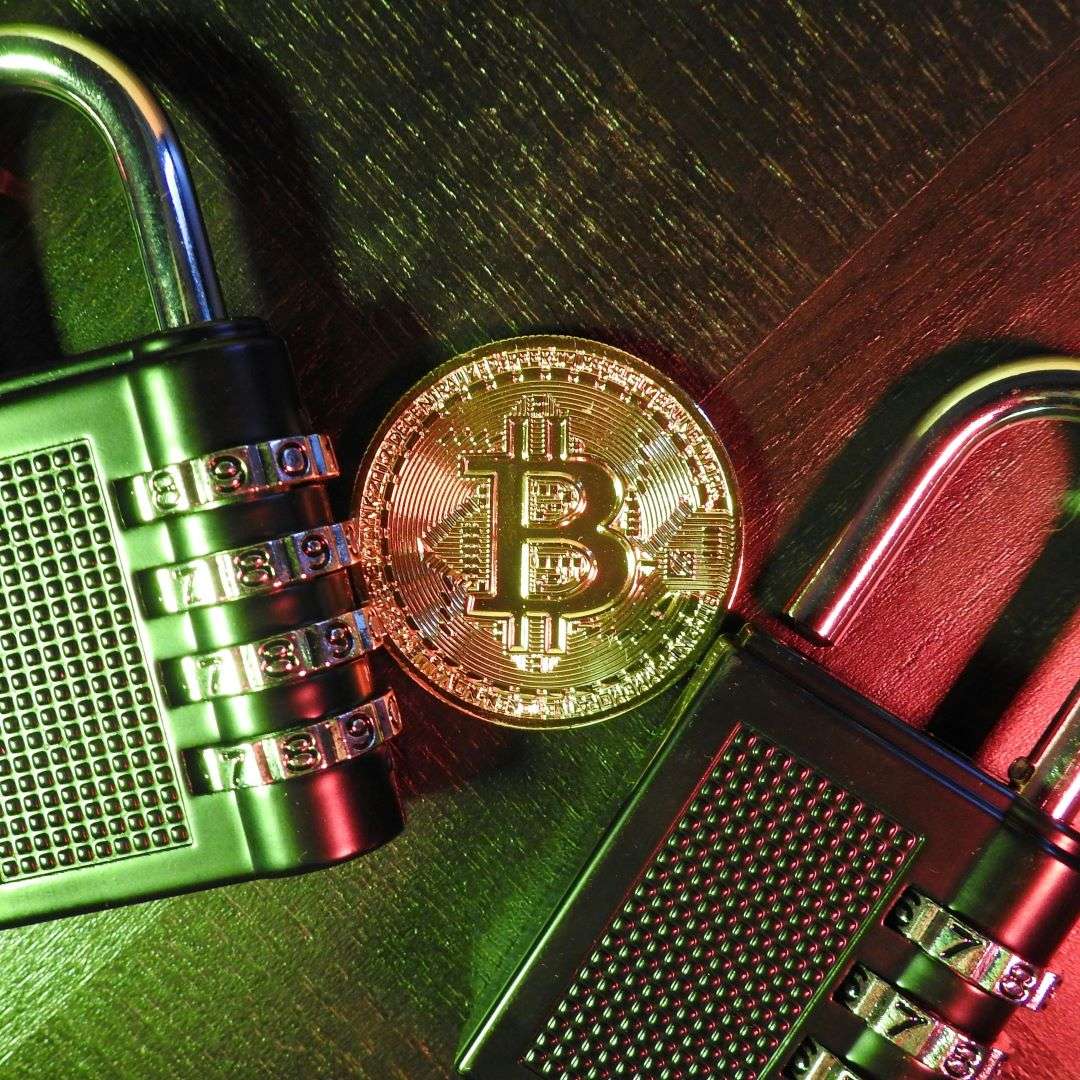
Knowing how to make a crypto wallet is not enough. You need to know how to keep it secure. Here are two simple tips to help out:
- Enable 2FA (Two-Factor Authentication): Enable 2FA if your wallet supports it. 2FA ensures that even if someone somehow manages to get access to your wallet, they will not be able to access your assets. You can use an authenticator app like Google Authenticator for this.
- Never share your recovery phrase: Under no circumstances should you share your recovery phrase. No one, not even the wallet support team, has a right to it. Anyone asking for your recovery phrase under any pretense is looking to steal your crypto.
Conclusion
Learning how to make a crypto wallet is the first step to truly owning your crypto. With these seven steps, you can securely secure your crypto and begin to explore the endless possibilities in the crypto space.
After storage and safety, you need a secured and reliable crypto exchange to trade either futures or any digital asset of your interest, signup to BTCC for a remarkable experience.
/ You can claim a welcome reward of up to 10,055 USDT🎁\
FAQs on How to Make Crypto Wallet
Q1. How do I create my own crypto wallet?
You can create a crypto wallet by downloading a reputable app like Trust Wallet or purchasing a hardware wallet and following the prompts to generate your secure recovery phrase.
Q2. What is the easiest crypto wallet for beginners?
Easy-to-use crypto wallets include Trust Wallet and Coinbase Wallet. For exchange, BTCC is the best for its ease of usage, seamless trading experience and high recommendation among top investors.
Q3. Can I create a crypto wallet for free?
Yes. Virtually all hot (software) crypto wallets are free. Examples are MetaMask and Trust Wallet.
Q4. Which crypto wallet is best?
The best wallet depends on your needs. However, a hardware wallet is good for large amounts of crypto, while wallets like MetaMask work great for connecting to decentralized apps.
Q5. Which is the safest crypto wallet?
Hardware wallets (cold storage) like Trezor or Ledger are the safest crypto wallets.
Q6. Which crypto should I buy as a beginner?
Bitcoin (BTC) should be your first purchase, as it is easy to purchase, store, and transfer. You can buy your crypto on reliable platform like BTCC.
Sources
- Bitpay- https://www.bitpay.com/blog/create-a-crypto-wallet
- Investopedia- https://www.investopedia.com/how-to-create-a-crypto-wallet-7500574
- Antiersolutions – Cryptocurrency wallet development
- Coinbase- How to set up a crypto wallet
- Bitmama- How to create a crypto wallet
For more educational contents about blockchain, cryptocurrency, wallets safety, altcoins trading, BTCC Academy is your sure bet.
How to Trade Crypto on BTCC?
This brief instruction will assist you in registering for and trading on the BTCC exchange.
Step 1: Register an account
The first step is to hit the “Sign Up” button on the BTCC website or app. Your email address and a strong password are all you need. After completing that, look for a verification email in your inbox. To activate your account, click the link in the email.

Step 2: Finish the KYC
The Know Your Customer (KYC) procedure is the next step after your account is operational. The main goal of this stage is to maintain compliance and security. You must upload identification, such as a passport or driver’s license. You’ll receive a confirmation email as soon as your documents are validated, so don’t worry—it’s a quick process.

Step 3. Deposit Funds
After that, adding money to your account is simple. BTCC provides a range of payment options, such as credit cards and bank transfers. To get your money into your trading account, simply choose what works best for you, enter the amount, and then follow the instructions.
- Fiat Deposit. Buy USDT using Visa/Mastercard (KYC required).
- Crypto Deposit. Transfer crypto from another platform or wallet.

Step 4. Start Trading
If you wish to follow profitable traders, you might go for copy trading, futures, or spot trading. After choosing your order type and the cryptocurrency you wish to trade, press the buy or sell button. Managing your portfolio and keeping track of your trades is made simple by the user-friendly interface.

Look more for details: How to Trade Crypto Futures Contracts on BTCC
BTCC FAQs
Is BTCC safe?
Based on its track record since 2011, BTCC has established itself as a secure cryptocurrency exchange. There have been no reports of fraudulent activity involving user accounts or the platform’s infrastructure. By enforcing mandatory know-your-customer (KYC) and anti-money laundering (AML) procedures, the cryptocurrency trading platform gives consumers greater security. For operations like withdrawals, it also provides extra security features like two-factor authentication (2FA).
Is KYC Necessary for BTCC?
Indeed. Before using BTCC goods, users must finish the Know Your Customer (KYC) process. A facial recognition scan and legitimate identification documents must be submitted for this process. Usually, it is finished in a few minutes. This procedure has the benefit of strengthening the security of the exchange and satisfying legal requirements.
Because their accounts will have a lower daily withdrawal limit, those who do not finish their KYC are unable to make deposits. It should be noted that those who present a legitimate ID without a facial recognition scan will likewise have restricted withdrawal options.
Is There a Mobile App for BTCC?
Indeed. For users of iOS and Android, BTCC has a mobile app. The exchange’s website offers the mobile app for download. Since both the web version and the mobile app have the same features and capabilities, they are comparable.
Will I Have to Pay BTCC Trading Fees?
Indeed. BTCC levies a fee for trade, just like a lot of other centralised exchanges. Each user’s VIP level, which is unlocked according to their available money, determines the different costs. The BTCC website provides information on the charge rates.
Can I Access BTCC From the U.S?
You can, indeed. According to its website, BTCC has obtained a crypto license from the US Financial Crimes Enforcement Network (FinCEN), which enables the cryptocurrency exchange to provide its services to investors who are headquartered in the US.
According to BTCC’s User Agreement document, its goods are not allowed to be used in nations and organisations that have been sanctioned by the United States or other nations where it has a licence.
BTCC Guide:
- How to Trade Crypto Futures Contracts on BTCC
- BTCC Guide-How to Deposit Crypto on BTCC?
- What is Crypto Futures Trading – Beginner’s Guide
- What is Leverage in Cryptocurrency? How Can I Trade at 100X Leverage?
- BTCC Review 2024: Best Crypto Futures Exchange
Crypto Buying Guides:
- How To Buy Bitcoin (BTC)
- How To Buy Picoin
- How To Buy Ethereum (ETH)
- How To Buy Dogecoin (DOGE)
- How To Buy Pepe Coin (PEPE)
- How To Buy Ripple (XRP)
Crypto Prediction:
- Ethereum (ETH) Price Prediction 2024, 2025, 2030 — Will ETH Reach $10,000?
- Ethereum Price Prediction 2024, 2025, 2030: How High Can ETH Go in 2024?
- Bitcoin (BTC) Price Prediction 2024, 2025, 2030 — Is BTC a Good Investment?
- Ripple (XRP) Price Prediction 2024, 2025, 2030 — Will XRP Reach $1 After SEC Lawsuit?
- Pi Coin Price Prediction 2024,2025,2030 — Is Pi Coin a Good Buy?
- Pepe (PEPE) Price Prediction 2024, 2025, 2030 – Will PEPE Reach $1
Please be aware that all investments involve risk, including the potential loss of part or all of your invested capital. Past performance is not indicative of future results. You should ensure that you fully understand the risks involved and consider seeking independent professional advice suited to your individual circumstances before making any decision.
For any inquiries or feedback regarding this article, please contact us at: [email protected]